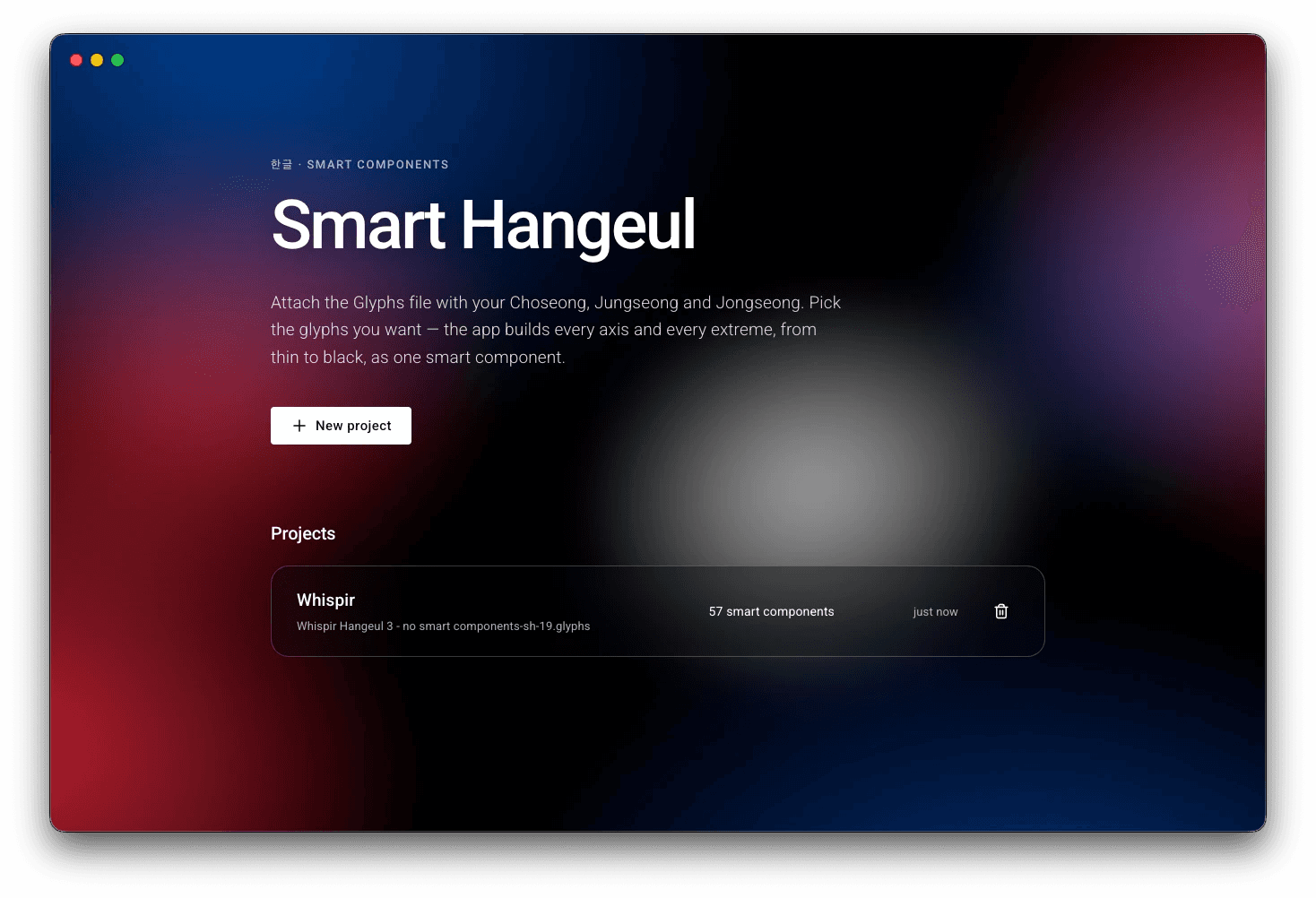
01Import a Glyphs file
Start with a .glyphs file containing initial consonants, vowels and final consonants. Choose the light and heavy masters to define the weight range.
An application that speeds up the creation of Hangeul typefaces by 25%, automating smart components, their variations and the full character set
Role
Product Design · Co Development · Project Management
01
First, how a Hangeul typeface is made.
Smart Hangeul is a self-started project. Nobody asked for it: I launched it as a challenge to myself, to fill a gap I perceived in how Hangeul typefaces are made. Designers draw a few hundred characters, then spend months assembling thousands of syllables, and I wanted to see whether a tool could take over that repetitive work. It comes from curiosity and initiative, as a designer and as an engineer.
Every designer has their own workflow. Many start by drawing a few hundred characters by hand, to form words and settle a visual concept. They then design multiple smart components: variations, along several axes, of one single consonant or vowel. This already takes a huge amount of time.
After that, designers have to assemble each smart component into a block called a glyph. This stage covers from 2,880 up to 11,000 glyphs, and it is an even bigger job: in each glyph, every imported smart component has several of its axes altered to fit the space of the block. This can be the weight, the height, the width and many more axes.
How Korean type designers usually build a typeface, step by step.
Designers draw a few hundred characters by hand to form words and settle the visual concept of the typeface.
02
One letter, many contexts
A Hangeul syllable brings together an initial consonant, a vowel and, in many cases, a final consonant. Each part has to fit its neighbours. In 가 the vowel sits beside the initial, in 고 it sits below, and in 각 the final consonant takes up space at the bottom. Those shifts affect the proportions and spacing of the parts.
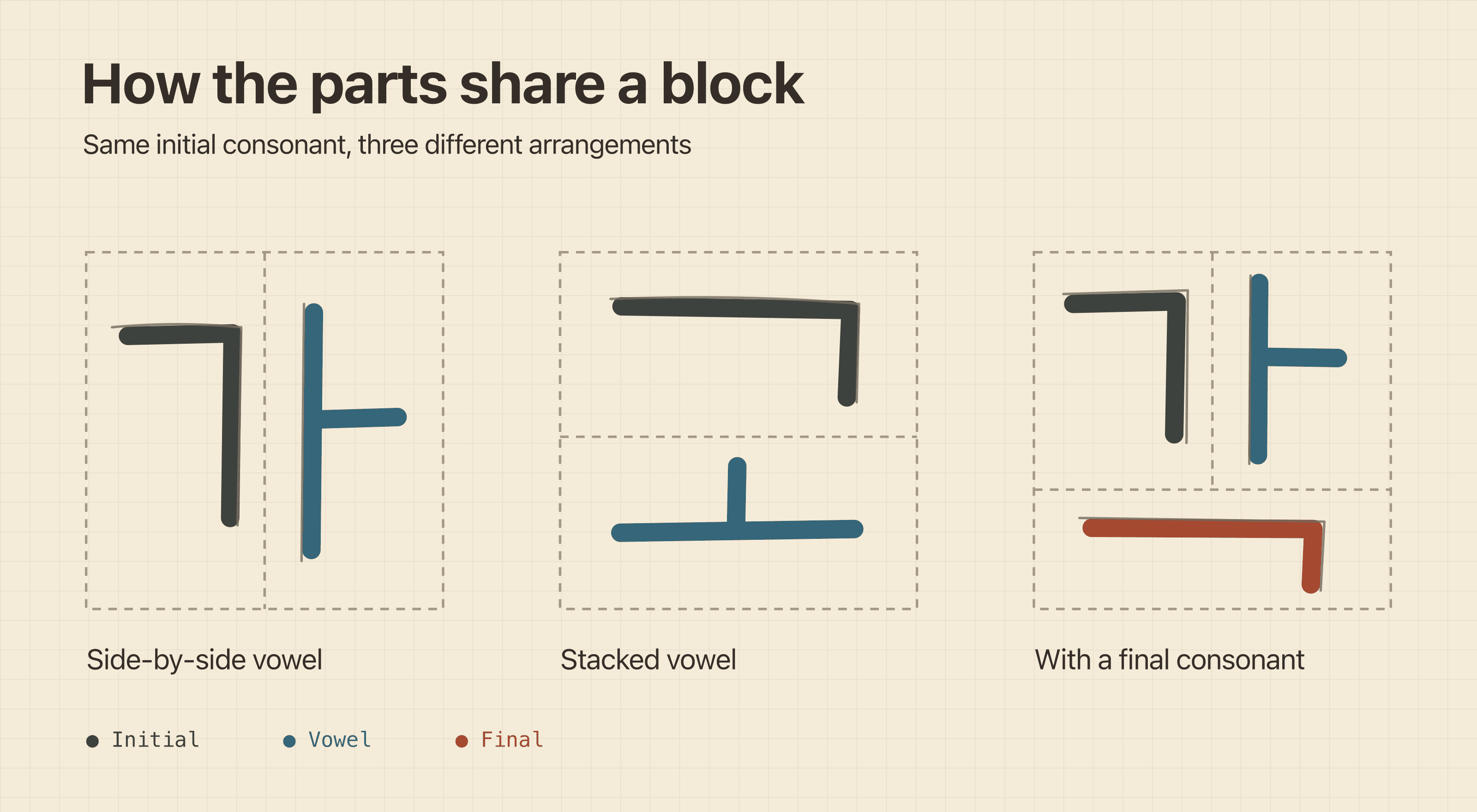
Composition sketch showing how the same initial consonant occupies a different space in 가, 고 and 각.
03
Three steps, from a Glyphs file to a full glyph set.
01Import a Glyphs file
Start with a .glyphs file containing initial consonants, vowels and final consonants. Choose the light and heavy masters to define the weight range.
02Generate smart components
Smart Hangeul turns the drawn jamo into reusable components with Weight and shape axes. Export a separate file to inspect in Glyphs. If the outlines need refinement, edit the source drawings in Glyphs and import the revised file into Smart Hangeul to regenerate.
03Assemble the glyph set
Generate the selected glyph set by placing initials, vowels and finals according to standardized syllable patterns. Smart Hangeul adapts each component to its position in the block and exports the results as editable glyphs. ㄱ + ㅏ → 가 · ㄱ + ㅗ → 고 · ㄱ + ㅏ + ㄱ → 각
04
Give each part room to adapt
I used the designer’s light and heavy drawings as the ends of a Weight axis. Each component can also have axes for local changes, such as widening a letter or moving a bar. The geometry checks help catch malformed outlines, and the designer can inspect each axis before using it in a syllable.
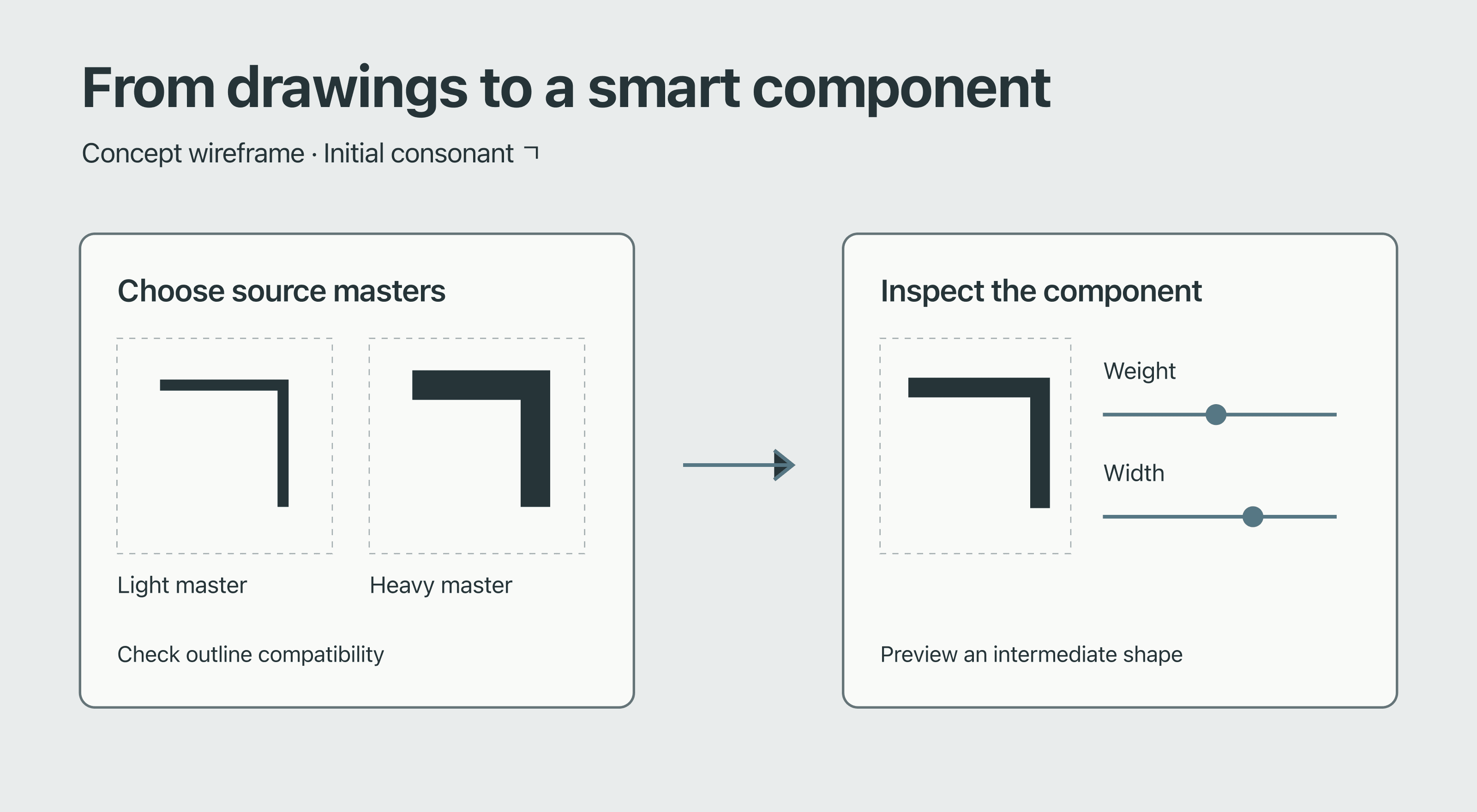
Component wireframe. Start with two masters, then inspect how the component changes along its axes.
I built and tuned placement maps from reference typefaces by measuring the position and size of each part in a syllable block. I mapped those proportions onto the designer’s own drawings and used different layouts for different syllable structures. A vowel can sit beside the initial or below it, and a final consonant changes the space available to both.
For each position, Smart Hangeul picks the closest drawn variant when one is available. It uses the target box to set the component’s X and Y position and fit its shape with axes such as Width and Height. That gives the first draft sensible starting positions and axis values that the designer can fine-tune in Glyphs.
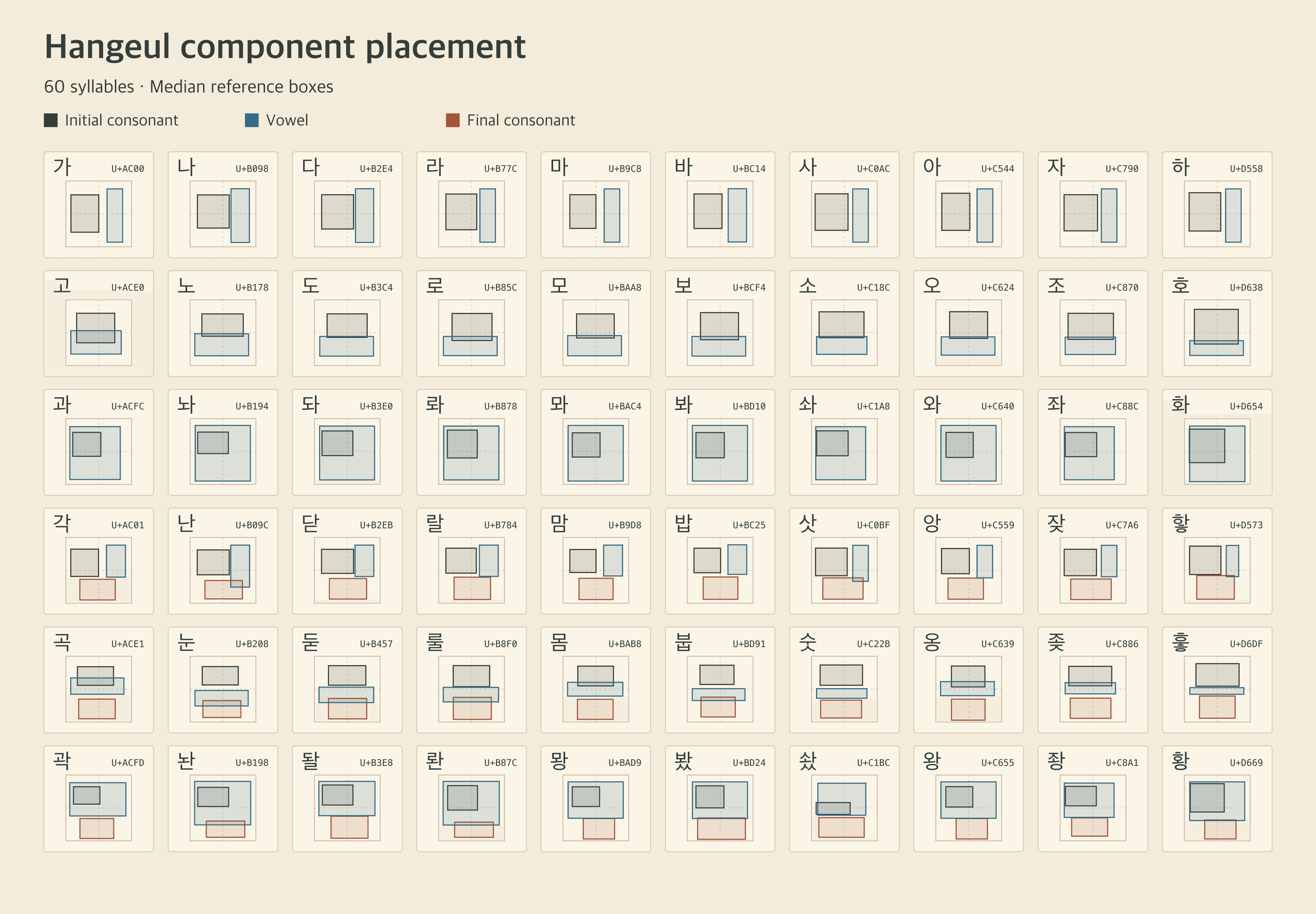
60 syllables across six layout groups. Each box shows the median position and size of an initial consonant, vowel or final consonant across the available middle-weight references. Select the image to view it at full size.
05
A model that knows the shapes of Hangeul.
The model has been trained to understand the geometric specificities of many different consonant and vowel shapes and forms. Inside the app, an AI assistant helps find errors, bugs and overlapping shapes. It also helps smooth curves, based on a Bézier model.
06
Generate a first pass, then refine it
A designer can start with a quick test set, generate the 2,350-syllable KS X 1001 set, or target all 11,172 modern precomposed Hangeul syllables. Coverage depends on which components are available in the project.
After generation, the designer can adjust individual parts, apply shared corrections to a selection and export a separate .glyphs file. The export carries editable component instances back into Glyphs and preserves the source file.
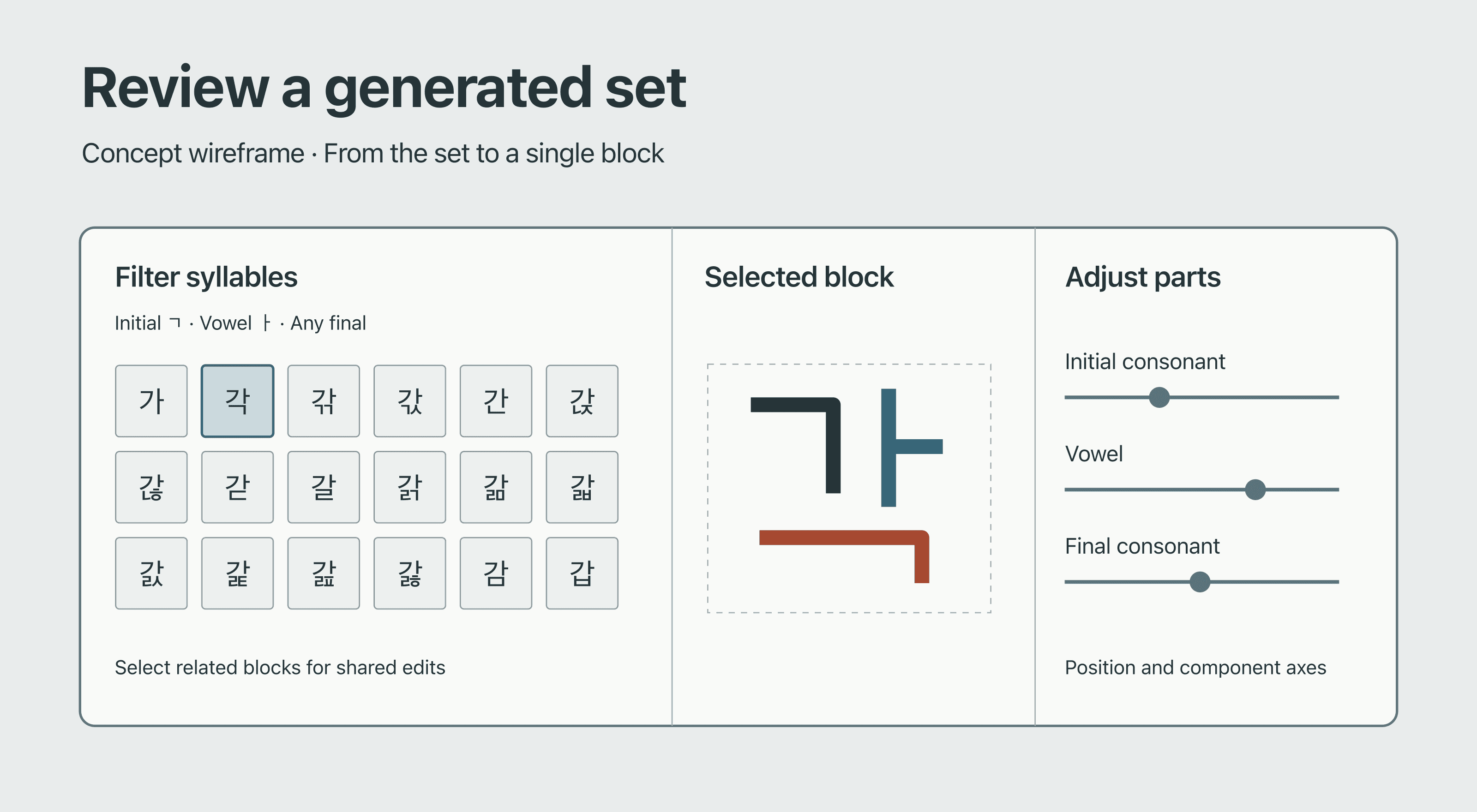
Review wireframe. Filter the generated set, inspect a syllable and adjust the parts that need attention.
07
What the tool is built with.
MUI, Next.js, Electron, Python, Claude and OpenAI.
The stack: MUI, Next.js, Electron, Python, Claude and OpenAI, each with its logo in a grid.
08
Typefaces that are faster to create.
25–30%Time gained to create a Hangeul typeface
Less time to produce a complete Hangeul typeface.
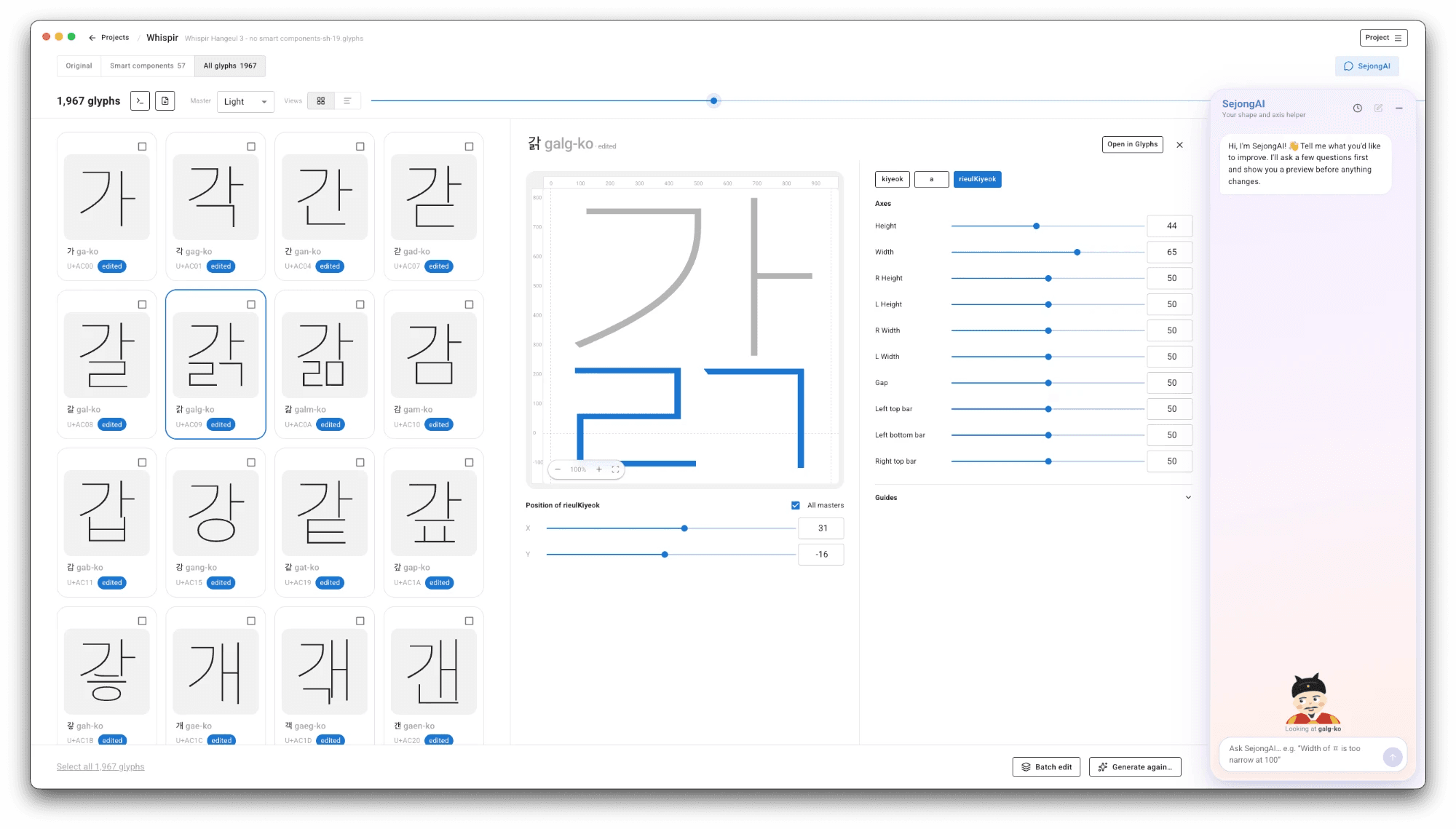
The Smart Hangeul editor, with the generated glyphs, the axes of each component and the SejongAI assistant.